

目录
一、在pom.xml文件中导入redis依赖
二、本地安装redis、启动redis、redis可视化界面工具
1、安装redis
2、启动redis
3、安装 、连接 redis 图形界面工具
三、代码使用 redis
1、引导类,开启 springboot 对缓存的支持
2、在业务层,需要使用缓存的方法上,写上注解
3、运行测试,springboot使用redis进行缓存的功能
4、查看 redis 图形界面
5、命令行查看 redis 数据
1、安装redis
JavaEE后台环境搭建:1、Mac系统安装配置Redis_鲁迷那的专栏—坚持实践后再写出来!-CSDN博客
2、启动redis
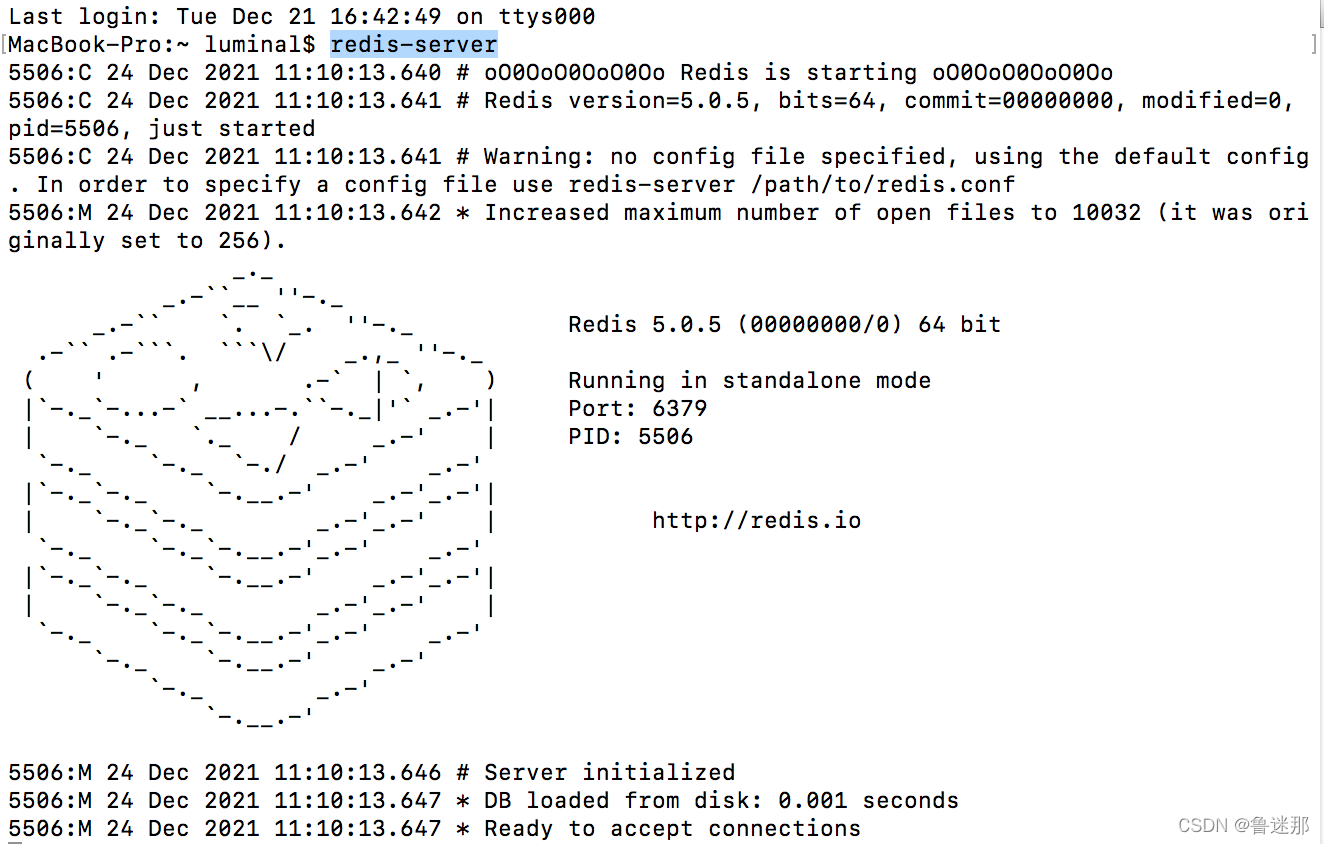
安装好之后。在Mac终端输入redis-server,就可以启动Redis服务器了。
当你看到这个熟悉的文字图形,就说明Redis启动成功了。
3、安装 、连接 redis 图形界面工具
这里推荐一个Redis Desktop Manager,下载地址:http://www.pc6.com/mac/486661.html
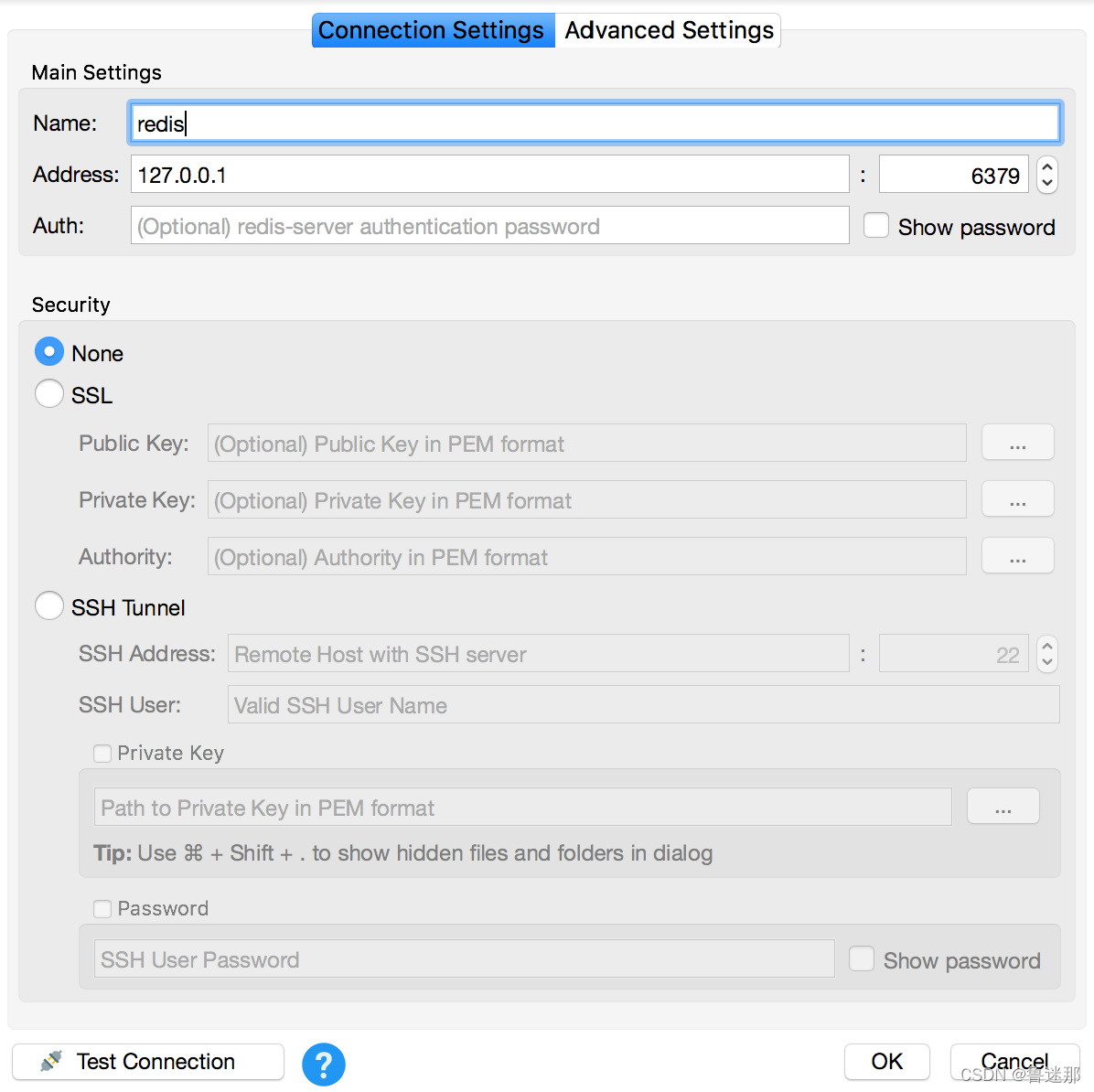
使用Redis-Desktop-Manager工具连接redis,实现可视化操作。

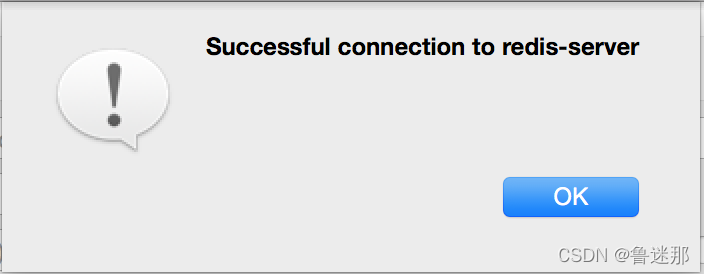
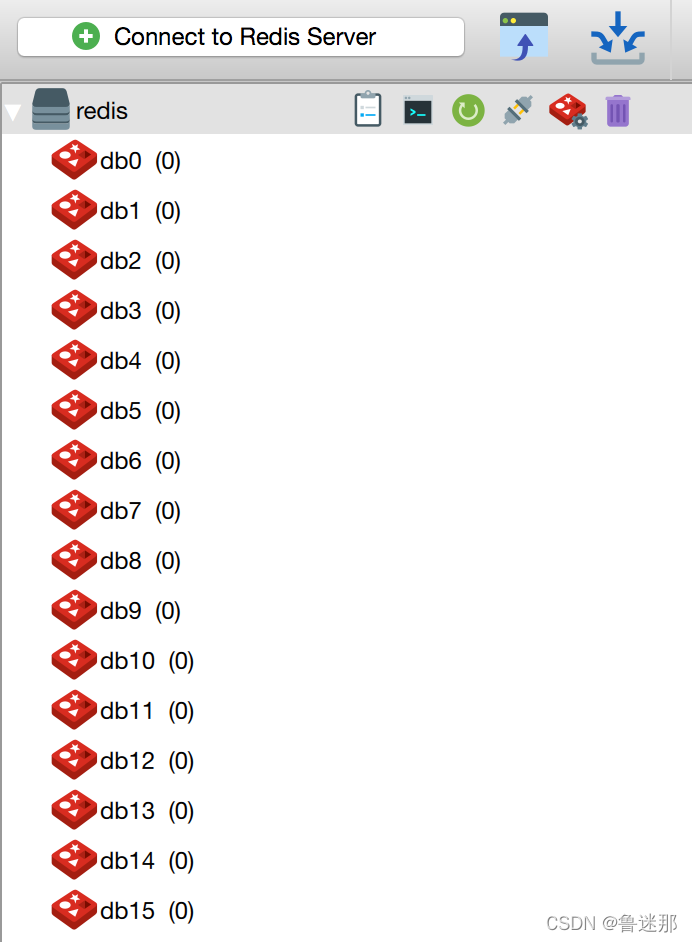
连接成功后如下图,redis默认有16个库。
1、引导类,开启 springboot 对缓存的支持
package com.example.demo; import org.apache.ibatis.annotations.Mapper; import org.mybatis.spring.annotation.MapperScan; import org.springframework.boot.SpringApplication; import org.springframework.boot.autoconfigure.SpringBootApplication; import org.springframework.boot.autoconfigure.domain.EntityScan; import org.springframework.cache.annotation.EnableCaching; import javax.persistence.Entity; / * springboot的引导类 */ @SpringBootApplication //@MapperScan(value = "com.example.demo.dao") @EnableCaching //开启 springboot 对缓存的支持 public class DemoApplication { public static void main(String[] args) { SpringApplication.run(DemoApplication.class, args); } }
2、在业务层,需要使用缓存的方法上,写上注解
package com.example.demo.service.impl; import com.example.demo.bean.User; import com.example.demo.dao.IUserDao; import com.example.demo.dao.IUserMapper; import com.example.demo.service.IUserService; import org.springframework.beans.factory.annotation.Autowired; import org.springframework.cache.annotation.Cacheable; import org.springframework.stereotype.Service; import javax.annotation.Resource; import java.util.List; / * 用户的业务层实现类 * @Author yyh */ @Service("userService") public class UserServiceImpl implements IUserService { @Autowired private IUserDao userDao;//spring data jpa的实现 @Autowired private IUserMapper userMapper;// 由 jpa 升级为 mybatis 的实现 @Override //表示当前方法使用缓存,并存入redis数据库中 @Cacheable(value = "findAllCache", key = "'user.findAll'") //value属性:表示存入 redis 数据库的 key //key属性:用于指定方法执行返回值的key,该属性是spring用的。不写也有默认值 //同时它还支持spring的 EL表达式 public List<User> findAllUser() { //return userDao.findAll(); System.out.println("find database..."); return userMapper.findAllUser(); } @Override public List<User> findAllUserByName(String name) { System.out.println("name:"+name); return userMapper.findAllByName(name); } }
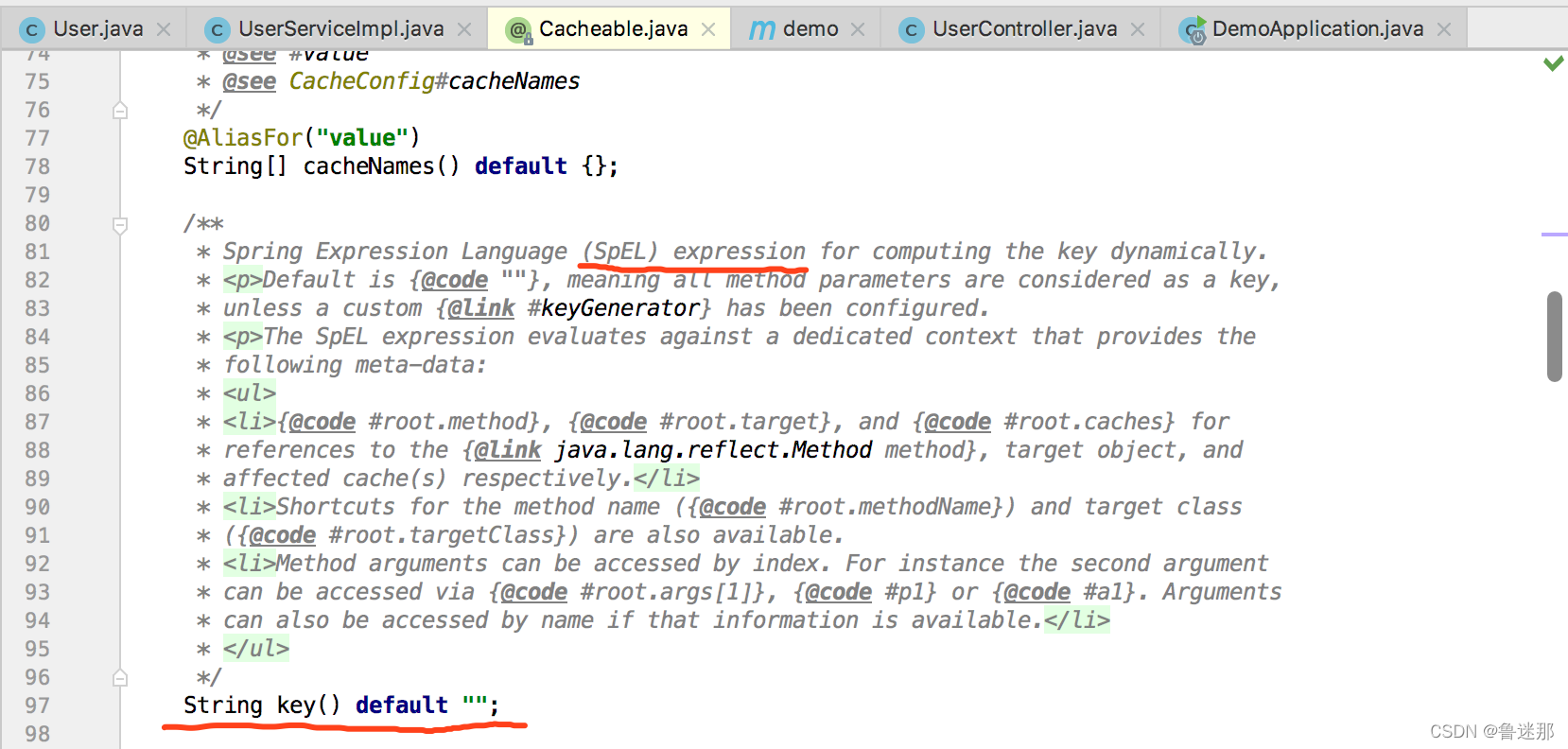
查看源码如下:key默认值为空,同时它还支持 EL表达式
3、运行测试,springboot使用redis进行缓存的功能
(1)第一次,取数据库里面的数据
启动程序,浏览器输入地址:http://localhost:8080/user/findAll
从数据库查询到的数据,如下:

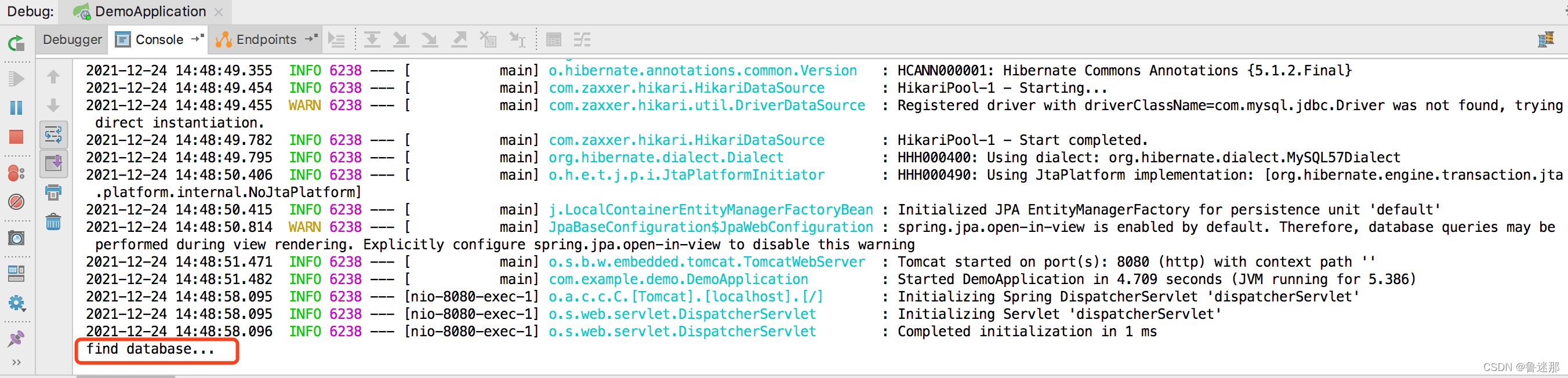
得到的程序,输出结果: "find database..."
(2)第一次以后,刷新取的是redis缓存数据
之后无论你在浏览器上面刷新多少次,它不会再输出 "find database..."
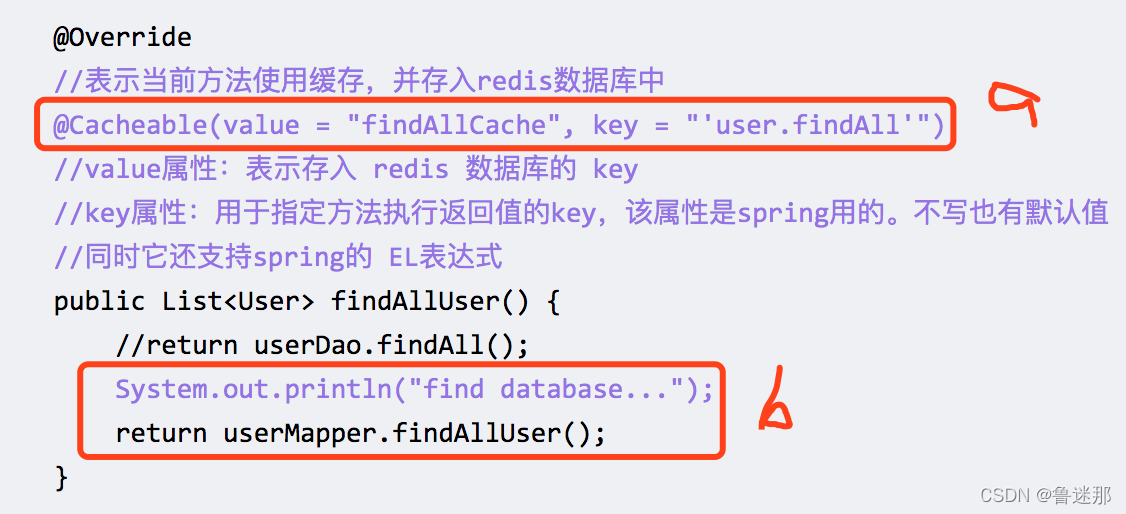
说明:
执行了a ,去取redis的缓存数据;
没有执行b,打印输出和再次去查询数据库的数据
4、查看 redis 图形界面
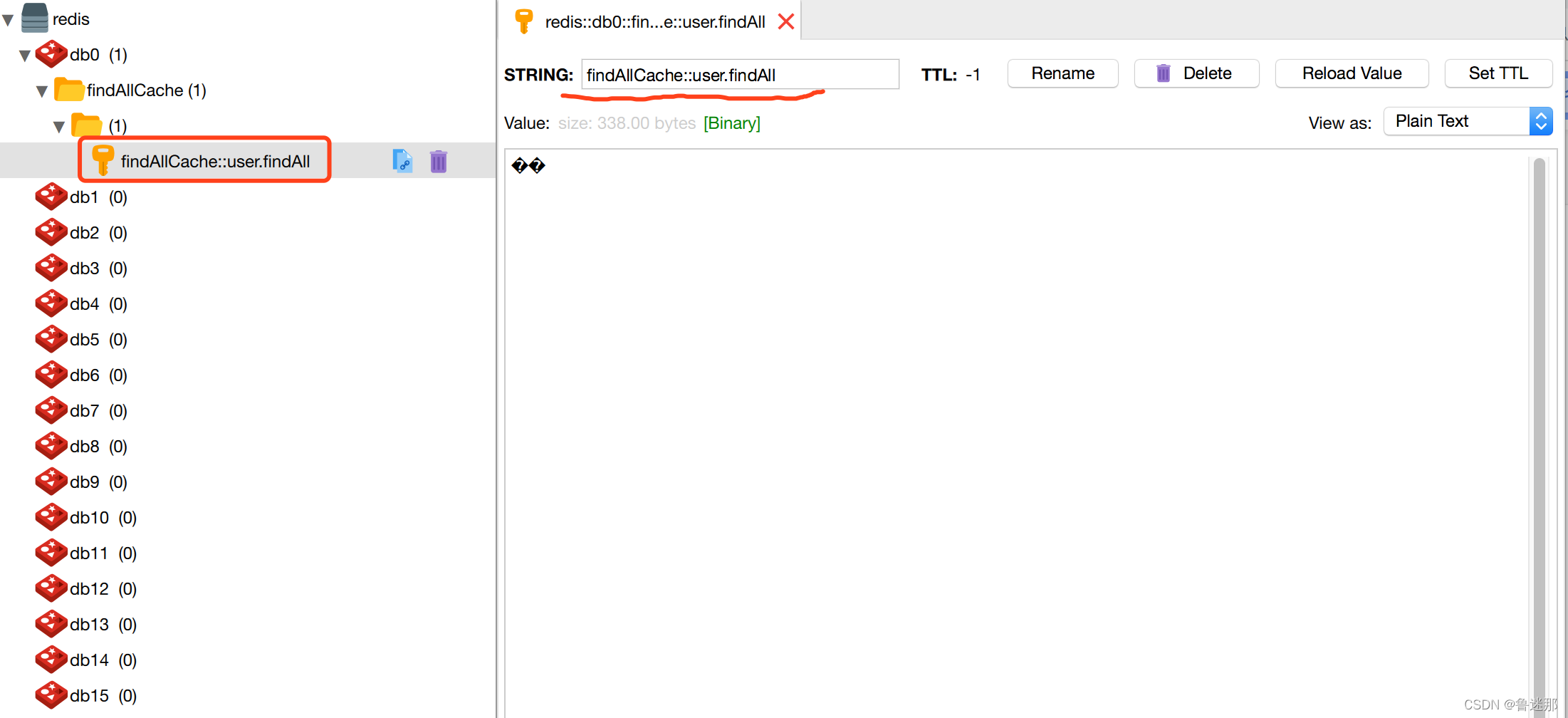
我们会发现,db0 里面多了一个文件夹,如下:
因为数据里面有中文,所以看不到具体效果
5、命令行查看 redis 数据
如下图:
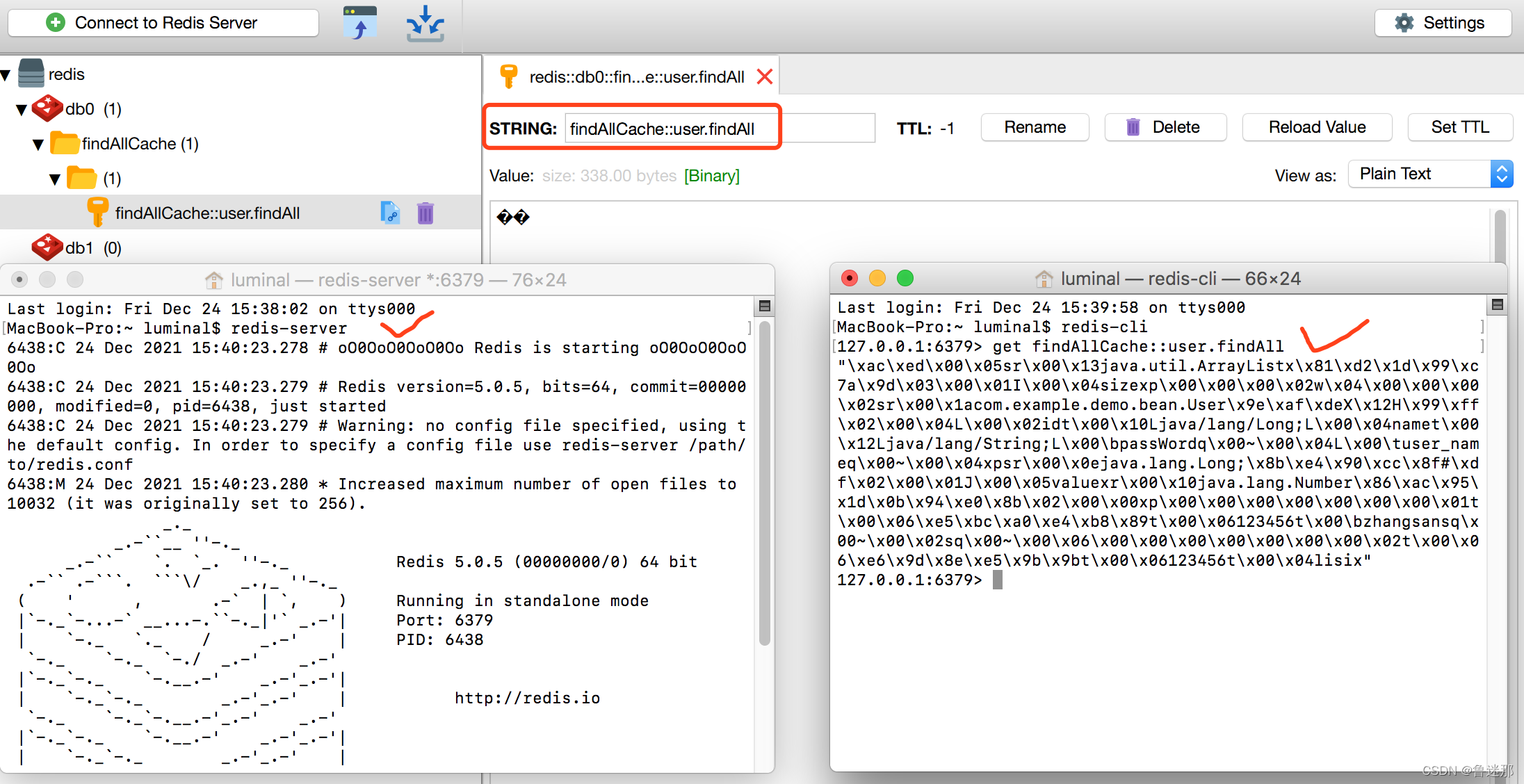
首先,一个命令行界面启动 redis :
$ redis-server
然后,另一个命令行界面获取数据
$ redis-cli
127.0.0.1:6379> get findAllCache::user.findAll
"xacxedx00x05srx00x13java.util.ArrayListxx81xd2x1dx99xc7ax9dx03x00x01I
x00x04sizexpx00x00x00x02wx04x00x00x00x02srx00x1acom.example.demo.bean.User
x9exafxdeXx12Hx99xffx02x00x04Lx00x02idtx00x10Ljava/lang/Long;Lx00x04nametx00
x12Ljava/lang/String;Lx00bpassWordqx00~x00x04Lx00 user_nameqx00~x00x04xpsrx00
x0ejava.lang.Long;x8bxe4x90xccx8f#xdfx02x00x01Jx00x05valuexrx00x10java.lang.Number
x86xacx95x1dx0bx94xe0x8bx02x00x00xpx00x00x00x00x00x00x00x01tx00x06xe5xbc
xa0xe4xb8x89tx00x0tx00bzhangsansqx00~x00x02sqx00~x00x06x00x00x00x00
x00x00x00x02tx00x06xe6x9dx8exe5x9bx9btx00x0tx00x04lisix"
127.0.0.1:6379>
版权声明:
本文来自互联网用户投稿,该文观点仅代表作者本人,不代表本站立场。本站仅提供信息存储空间服务,不拥有所有权,不承担相关法律责任。
如若内容造成侵权、违法违规、事实不符,请将相关资料发送至xkadmin@xkablog.com进行投诉反馈,一经查实,立即处理!
转载请注明出处,原文链接:https://www.xkablog.com/rfx/14642.html